- From a web browser, go to my.ccac.edu
- You will get an option to select a profile

- If you are a New/Former Student, Employee without a NetID, or Guest, select the New/Former Students, Employees without a NetID, and Guests option
- This will allow you into the MyCCAC Hub without login information
- If you are a current student, faculty, admin, or staff, click the Current Student/Faculty/Staff/Admin option and follow the login process below
- If you are a New/Former Student, Employee without a NetID, or Guest, select the New/Former Students, Employees without a NetID, and Guests option
- Enter your CCAC email address and click Next
- If you have not yet set up your Microsoft Multi-Factor Authentication, you will be prompted to do so. Follow these instructions to set up your Microsoft Multi-Factor Authentication.

- If you have not yet set up your Microsoft Multi-Factor Authentication, you will be prompted to do so. Follow these instructions to set up your Microsoft Multi-Factor Authentication.
- Enter your CCAC Password, then click the Sign In button

- You will then be taken to your MyCCAC dashboard
From CCAC's Website
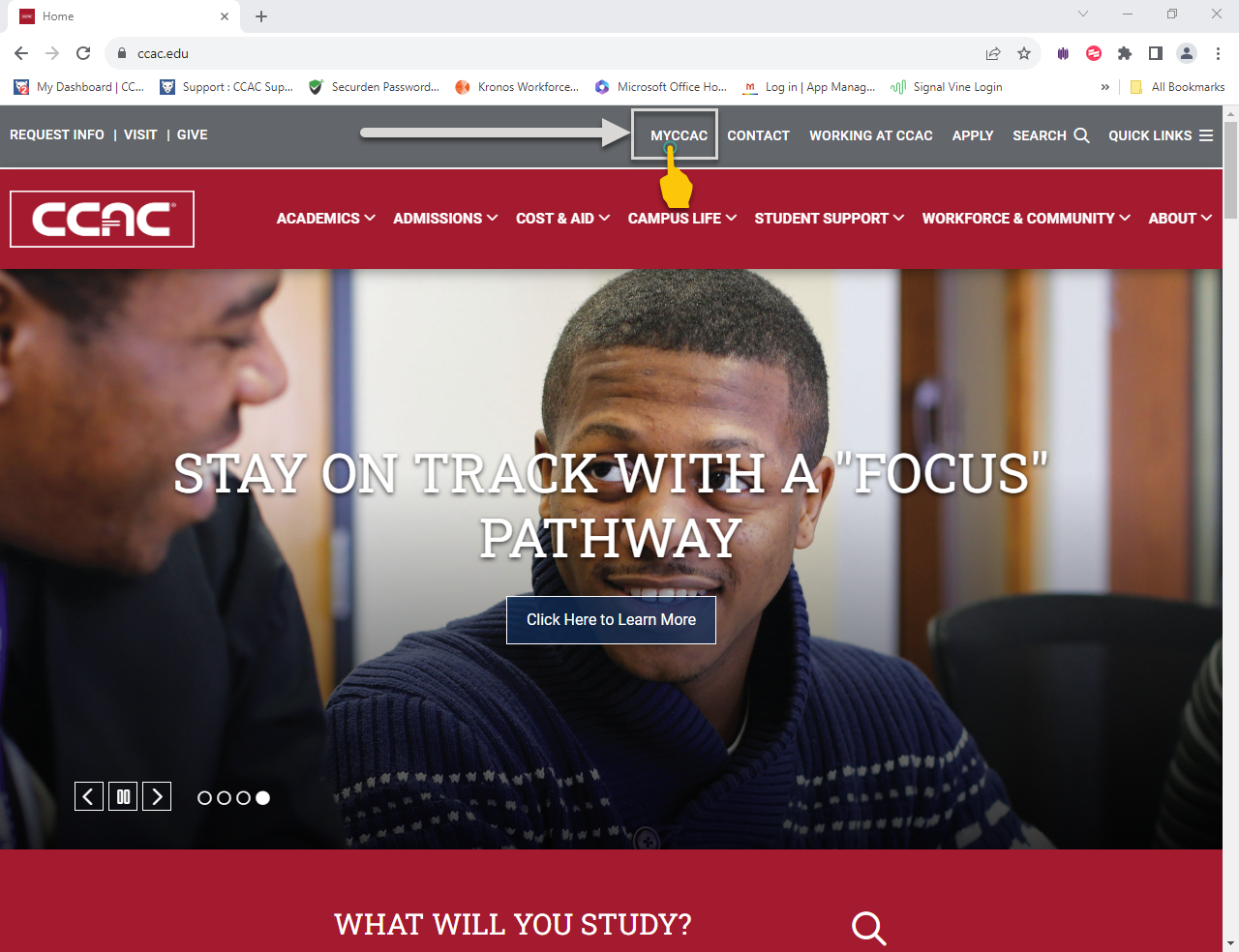
- From a web browser, go to www.ccac.edu
- At the top of the page
- Locate the MyCCAC link
- Click the link
- Enter your CCAC email address and click Next
- Enter your Password and click the Sign In button
- You will then be taken to your MyCCAC dashboard